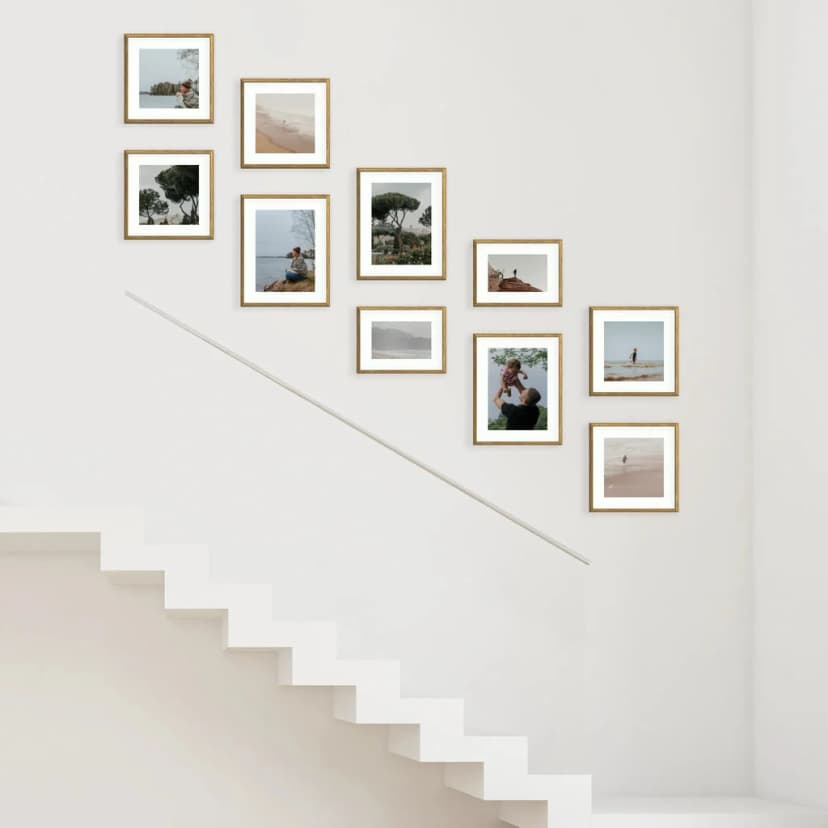
How to Hang a Photo Gallery Wall on Stairs
Hang a staircase photo gallery in about 15 minutes: measure the rise, pick a stepped layout, use Framky’s 1:1 template — no drill.
5 min read
Article
Photo collage wall — two approaches (one frame vs a gallery), how to design it online and composition tips. A practical guide with a comparison table.
 on the wall made up of many MDF frames without glass in different sizes in a warm living room — an example of a gallery in collage form](/_next/image?url=%2Fblog%2Fphoto-collage-wall-v2.webp&w=828&q=75)
Short answer: You can make a photo collage wall in two ways: as a collage in one frame (several photos in one shared mount) or as a collage of many frames forming a gallery on the wall. The first is cheaper and simpler to mount; the second gives a bigger effect and more flexibility. You design it online — you upload your photos, choose a layout and sizes. Choose one frame when you want a compact, ready-made object; choose many frames when you want to fill a whole wall and have the option to swap photos.
A photo collage is a great way to show many memories at once, but the one phrase hides two completely different solutions. Designing several photos in one shared frame is one thing; a whole wall made of separate frames is quite another. The choice between them determines cost, effect and how you mount it.
In this article we compare both approaches, show how to design a collage online through Framky Studio, and give specific composition rules so the collage doesn't look chaotic.
Before you start designing, decide which of the two collage types you want to create — they differ in effect, cost and mounting.
This is one collage photo frame, in which several photos share a common mount (a card border with several "windows"). All the shots are enclosed in a single format and hung as one element. The best choice when you want a compact, ready-made object for the wall — easy to hang and to move.
This is a frame collage — several to a dozen-or-so separate frames forming a dense composition on the wall. It gives more freedom: you mix formats, fill a large surface and swap individual photos at any time. In practice it's a photo gallery wall designed in a dense, organic layout.
| Criterion | Collage in one frame | Collage of many frames (gallery) |
|---|---|---|
| Effect | Compact, ordered | Expansive, "lived-in" |
| Flexibility | Fixed photo layout | Any formats, easy to expand |
| Cost | Lower (one frame) | Higher (several to a dozen-or-so frames) |
| Mounting | 1 point — simplest | Several points, needs a 1:1 template |
| Swapping photos | You change the insert in the frame | You swap individual frames |
| Best for | A small wall, a gift, a single theme | A large wall above a sofa or in a hallway |
The simplest way is to design the collage online, without manual measuring and arranging. In Framky Studio you upload your photos, choose a layout from over 1,000 ready-made layouts and pick the sizes and the colour of the MDF frames (black, white, dark oak, light oak, brushed gold, brushed silver). The system shows a preview of the whole composition, so you see the effect before you order anything.
Once it's designed, we print the photos with pigment printing with a set of 12 inks on matte photographic paper, backed with a rigid cardboard plate. Delivery takes 7–10 working days, and you have 60 days to return. You start the whole project in the Framky configurator.
Designing online has one more advantage with a collage: you see the proportions of the whole thing right away. The most common mistake with arranging a collage by hand is choosing photos that only turn out, once on the wall, to be too small or too varied in colour. The preview in Studio lets you catch this before anything goes to print — and freely swap shots and sizes until the composition starts to "sing".
A good collage isn't random. A few rules that make the biggest difference:
In a collage, the frame colour is responsible for the cohesion of the whole. That's why it's almost always better to keep one frame colour for all the photos — the variety comes from the photo composition itself, so the frames should be a backdrop, not another chaotic element. There are six MDF colours to choose from: black, white, dark oak, light oak, brushed gold and brushed silver.
Black frames brilliantly set off black-and-white photos and modern interiors. White ones brighten and "disappear" on a light wall, directing attention to the photos. Dark and light oak warm up a collage and suit Scandinavian and rustic interiors. Brushed gold and silver add elegance to occasion collages (a wedding, an anniversary). If the collage is to be a gift, match the frame colour to the recipient's interior — a small detail that makes a big difference.
You hang a collage in one frame like a single picture — the centre at eye level, around 145–150 cm from the floor. A collage of many frames needs a plan: prepare a 1:1 mounting template out of paper and tape it up with masking tape to check the layout before mounting. Framky galleries include such a template.
If the collage gallery is to hang above furniture, hold to two dimensions at once: a composition width of about two-thirds the width of the furniture and a bottom edge 15–25 cm above the backrest or worktop. This lets the collage read as one piece with the furniture, rather than as a separate element hung too high. Once it's up, step back 2–3 metres and check the spacing and the level of individual frames.
You'll do the mounting on self-adhesive hangers — without drilling. They won't damage the wall, provided the paint is firmly bonded to the plaster and the plaster is stable. For those who prefer the traditional approach, each frame has the option of 2 nails in the inner corners (nails not included). The frames are without glass, so they eliminate reflections — but remember not to hang them where they're exposed to water splashes or within reach of small children.
Choose one of the two approaches: a collage in one frame (several photos in a shared mount) or a collage of many frames forming a gallery. Then design it online in Framky Studio — you upload your photos, choose a layout and sizes, and we print and assemble the whole thing with self-adhesive hangers.
One frame is cheaper, simpler to mount and gives a compact effect — good for a small wall or a gift. Many frames give a bigger effect, format flexibility and the option to swap individual photos — it works on a large wall above a sofa or in a hallway.
In Framky Studio you upload your photos, choose a layout from over 1,000 ready-made templates and pick the sizes and the frame colour. You see a preview of the whole composition before ordering. The whole process happens in the browser, without installing any software.
An odd number of elements works best — 5, 7 or 9. In a collage in one frame, the classic 4- or 6-window layout also works well. More important than the number is a shared guiding theme and a similar colour tone.
Keep a constant 5–8 cm spacing between frames, choose one guiding theme and a consistent photo tone, and start the layout from one largest frame as an anchor. Before mounting, check everything on a 1:1 template out of paper.
Yes. Framky frames mount on self-adhesive hangers, without a drill. They won't damage the wall, provided the paint is firmly bonded to the plaster and the plaster is stable. This also makes it easy to change the collage layout in the future.
Before you design the collage, it's worth choosing the shots well — How to choose photos for your home gallery will help. If you're planning a collage of many frames step by step, see Photo wall — how to create one. When the collage is to hang above a sofa, check What to hang above the sofa.
You'll design your photo collage — in one frame or as a gallery of MDF frames without glass — online in the Framky configurator.
Sign up and we'll send you a code with a bigger discount than the shop offers — plus occasional inspiration for your photo gallery wall.
Hang a staircase photo gallery in about 15 minutes: measure the rise, pick a stepped layout, use Framky’s 1:1 template — no drill.
Hang a photo wall in the stairwell: measure the rise, pick a layout along the banister, use a 1:1 template. No drill, about 15 minutes.
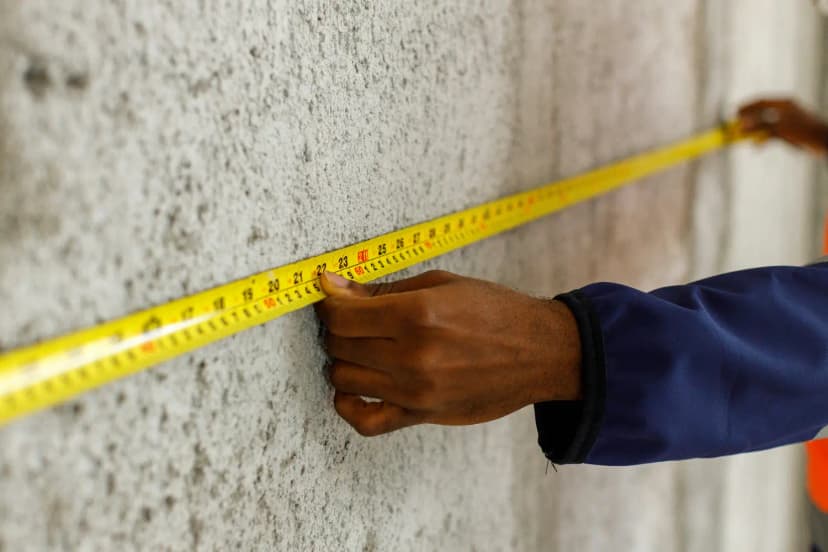
See gallery wall layouts with real sizes — 3, 5, 6, 8, 10+ frames. Match a Framky kit to your wall width, then hang with a 1:1 template.
Give it a try?
See how it works