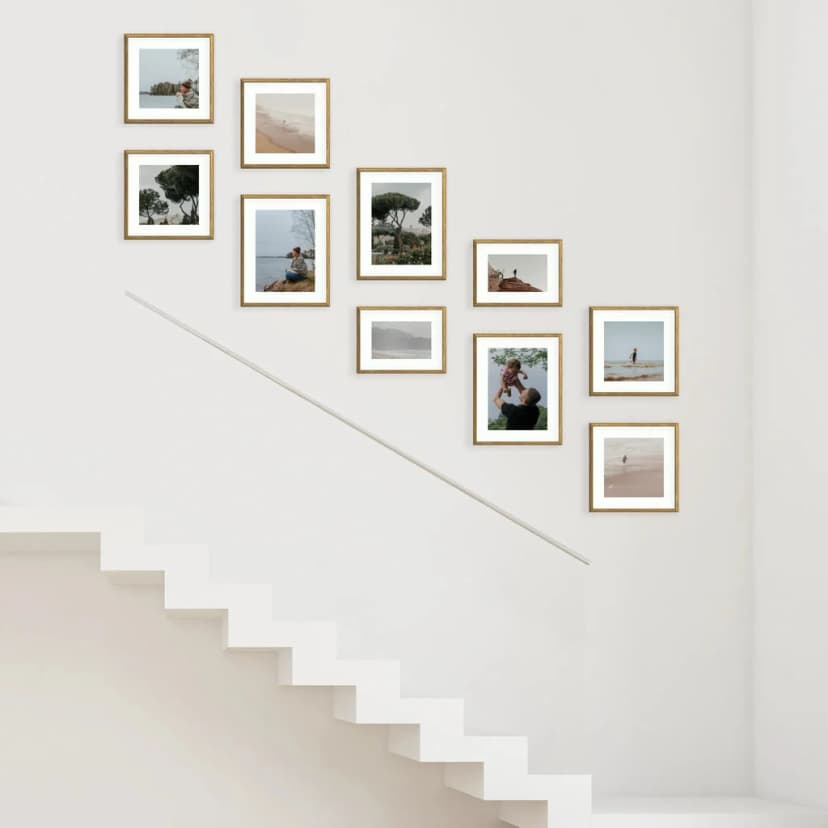
How to Hang a Photo Gallery Wall on Stairs
Hang a staircase photo gallery in about 15 minutes: measure the rise, pick a stepped layout, use Framky’s 1:1 template — no drill.
5 min read
Article
Photo wall step by step — 7 stages, layout types, spacing between frames and mounting without drilling. A practical guide with real numbers.
 of MDF frames without glass arranged in a neat grid in a bright living room — an example of a step-by-step photo [gallery wall](/en-gb/photo-gallery-walls)](/_next/image?url=%2Fblog%2Fphoto-wall-how-to-v2.webp&w=828&q=75)
Short answer: You build a photo wall in 7 steps: (1) choose the wall and measure the available area, (2) choose your photos, (3) decide on the layout type, (4) pick the sizes and number of frames, (5) prepare a 1:1 mounting template out of paper, (6) hang the frames, keeping 5–8 cm of spacing between them, (7) align the whole thing. The hardest part — planning the layout and drilling — falls away if you use a ready-made design. The key to a good photo wall is a plan on paper before anything goes up on the wall.
A photo wall is one of the warmest ways to bring an interior to life — and also the one most likely to end in crookedly hung frames and holes in the wrong places. The reason is simple: most people start with drilling, not with a plan.
Below we break the process into 7 specific steps, with numbers: spacing, heights and proportions. We also show how Framky simplifies the hardest stages by supplying a ready-made layout together with a 1:1 mounting template.
First, choose the wall and measure the available surface — the width and height of the free area. Note the dimensions in centimetres. If the photo wall is to hang above a piece of furniture (a sofa, sideboard, bed), remember that the width of the composition should be about two-thirds the width of the furniture. For a 200 cm sofa, that's roughly 130 cm of composition.
Pay attention to light sources. Frames without glass eliminate reflections, so they work well even opposite a window. But avoid spots exposed to water splashes or within reach of small children.
Gather more photos than you plan to hang — usually 1.5× the target number of frames, so you have something to choose from. Look for frames that are emotionally and colour-wise cohesive. A gallery in which all the photos share a similar tone (e.g. warm or black-and-white) looks far calmer. Details in How to choose photos for your home gallery and Colour consistency in a gallery.
Also pay attention to resolution. At larger formats (40 × 50 cm and up), a photo with too few pixels will look soft or "pixelated". A good rule is a minimum of around 150 DPI at the target print size — explained precisely in the article DPI in photo printing. Better to leave a technically weak photo out of the gallery than to enlarge it by force.
The layout type defines the character of the whole wall. Here are the four main variants with their pros and cons:
| Layout type | Pros | Cons | For whom |
|---|---|---|---|
| Even grid | Order, easy to plan, timeless | Less dynamic, needs frames of the same size | Minimalism, modern interiors |
| Organic layout (cluster) | Lots of character, mixing formats | Harder to plan, risk of chaos | Warm, family interiors |
| Horizontal line | Ideal above furniture, calm rhythm | Fewer photos on the same area | Above a sofa, in a hallway |
| Symmetry around an axis | Elegant, ordered effect | Needs an even selection and precision | Classic interiors |
In an even grid, keep frames the same size and a constant gap. In an organic layout you can mix formats, but start with the largest frame as an "anchor" and build the rest around it.
It's worth tying your choice of layout to the style of the interior. An even grid pairs best with minimalism, Scandinavian and japandi. A cluster suits warm, family living rooms with more furniture and decor. A horizontal line works wherever the gallery follows the shape of furniture or a circulation route — above a sofa, above a sideboard, in a hallway. Symmetry around an axis is the choice for classic interiors, where order and elegance matter.
The number of frames follows from the target composition width and the chosen layout. For orientation:
| Wall area | Suggested number of frames | Example sizes |
|---|---|---|
| Narrow (up to 120 cm) | 3–5 | 20 × 30 cm, 30 × 40 cm |
| Medium (120–180 cm) | 5–7 | 30 × 40 cm, 40 × 50 cm |
| Wide (180–250 cm) | 7–11 | mix of 30 × 40 and 40 × 60 cm |
There's more on choosing the number and proportions in How many photos in a gallery wall.
This is the most important and most often skipped step. Cut rectangles out of paper in the sizes of your frames and tape them to the wall with masking tape — in your target layout. This lets you see the proportions, spacing and height before anything goes up for good. Set the centre of the whole composition at eye level — around 145–150 cm from the floor.
At Framky this step is already prepared for you: with every gallery we include a 1:1 mounting template — a large white paper sheet with the whole gallery printed in black-and-white at 1:1 scale. You hold it against the wall as a whole (without cutting it up), and it shows exactly where each frame will go.
The standard spacing between frames is 5–8 cm. In an even grid, keep it constant across the whole surface. In an organic layout you can vary it slightly (4–9 cm), but try to keep the visual "air" between frames similar.
Mounting is simplest on self-adhesive hangers — without drilling, without dust. They won't damage the wall, provided the paint is firmly bonded to the plaster and the plaster is stable. Anyone who prefers the traditional approach can use 2 nails in the inner corners of each frame (nails not included). There's more on mounting without drilling in the article A photo gallery wall in a rental property.
Once everything's up, step back 2–3 metres and check the whole composition. The most common corrections are levelling a single frame and small adjustments to spacing. With frames of different sizes it's worth aligning them to a shared axis (a top, bottom or centre line) — described precisely in How to align frames of different sizes on the wall.
The three hardest stages — designing the layout, choosing the sizes and drilling — fall away with Framky. You get a ready-made layout (we have over 1,000 ready-made gallery layouts), a 1:1 mounting template — a large sheet with the whole gallery printed in black-and-white, which you hold against the wall as a whole — and self-adhesive hangers that mount without a drill. You prepare the design online in Framky Studio by uploading your photos. Delivery takes 7–10 working days, and you have 60 days to return.
We make the frames from MDF (available colours: black, white, dark oak, light oak, brushed gold, brushed silver), and we print the photos with pigment printing with a set of 12 inks on matte photographic paper.
Standard is 5–8 cm. In an even grid keep it constant across the whole surface, and in an organic layout you can vary it in the 4–9 cm range. Spacing that's too large breaks the composition into separate pictures, while too small makes it feel cramped.
Hang the centre of the whole composition at eye level — around 145–150 cm from the floor. If the gallery hangs above furniture, its bottom edge should sit 15–25 cm above the backrest or worktop, so it reads as one piece with the furniture.
Prepare a 1:1 mounting template. Doing it yourself, cut rectangles out of paper in the sizes of your frames and tape them to the wall with masking tape in your target layout. At Framky the template is ready-made — a large white paper sheet with the whole gallery printed in black-and-white at 1:1 scale, which you hold against the wall as a whole. It lets you judge proportions and spacing without drilling.
Yes. Framky galleries come with self-adhesive hangers, so the frames mount without a drill. They won't damage the wall, provided the paint is firmly bonded to the plaster and the plaster is stable. It's a good solution in a rental property too.
It depends on the area: a narrow wall usually takes 3–5 frames, a medium one 5–7, a wide one 7–11. But gather around 1.5× that number of photos, so you have something to choose from during selection.
An even grid — frames of the same size and a constant 5–8 cm gap. It's the easiest to plan and align, and timeless at that. Organic layouts give more character but take more practice.
If you want to fine-tune the number and sizes of frames, start with How many photos in a gallery wall — sizes and proportions. For aligning different formats, How to align frames of different sizes on the wall will help. If the photo wall is to hang above a sofa, see What to hang above the sofa.
You can design a ready layout together with a 1:1 mounting template and MDF frames without glass in the Framky configurator.
Sign up and we'll send you a code with a bigger discount than the shop offers — plus occasional inspiration for your photo gallery wall.
Hang a staircase photo gallery in about 15 minutes: measure the rise, pick a stepped layout, use Framky’s 1:1 template — no drill.
Hang a photo wall in the stairwell: measure the rise, pick a layout along the banister, use a 1:1 template. No drill, about 15 minutes.
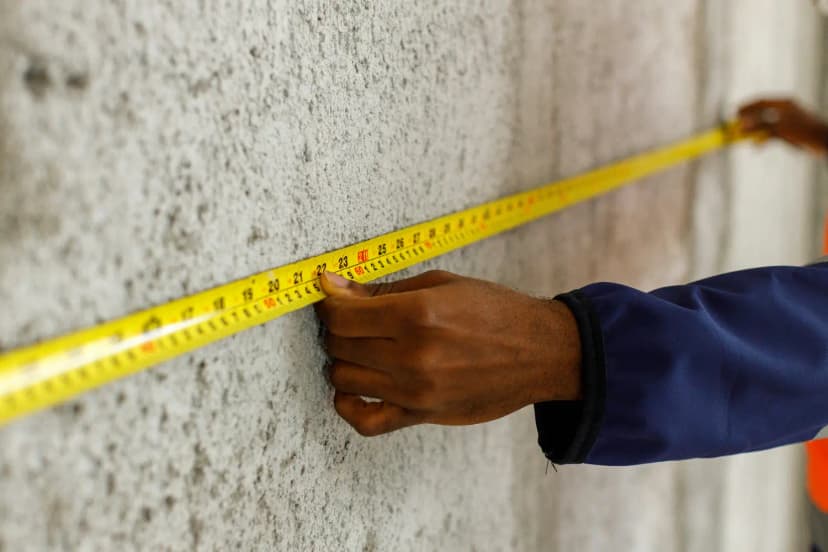
See gallery wall layouts with real sizes — 3, 5, 6, 8, 10+ frames. Match a Framky kit to your wall width, then hang with a 1:1 template.
Give it a try?
See how it works