Up to 60% | code: GOLDENHOME ⭐0d : 00h : 00m : 00s
Up to 60% | code: GOLDENHOME ⭐ 3d : 12h : 52m : 32s
Article
An autumn gallery swap: forest, mist and winter photographs from Framky Artists
•8 minutes reading
Autumn wall decorations without new frames: swap 2–3 photos in the gallery for forest, misty mountains, night sky and winter photographs from Framky Artists. How many to change, which palette, and when to return to the spring set.
Short answer: To make the wall look like autumn, you do not have to buy new frames. It is enough to swap 2–3 photos out of 6, including the one in the largest frame, for photographs from the forest or mountains and mist category in the Framky Artists catalogue. The colour filter (terracotta, forest green, warm neutrals) helps you keep one palette. In November you can move on to the night sky and winter, and in March return to the spring set. Swapping one photo in a Framky frame takes about 90 seconds.
A gallery that has hung since spring stops being visible after half a year. The eye gets used to it. Summer beach photos in October, when it is grey outside at 17:00, look a little like a postcard from another life.
We described the idea of a seasonal photo swap in seasonal photo gallery rotation. This article is its practical autumn version: what exactly to swap, where to get autumn and winter photographs when you do not have your own, and how not to break the palette you already have on the wall.
How many photos to swap so the wall looks different
You do not have to swap everything. The change shows when you replace about a third of the gallery, and in the right places.
Number of frames
How many to swap
Which ones
3
1
The centre photo
5
2
The largest in the centre + one at the side
6
2–3
The largest + one in each row
8–9
3
Spread on a diagonal, not in one corner
Three rules:
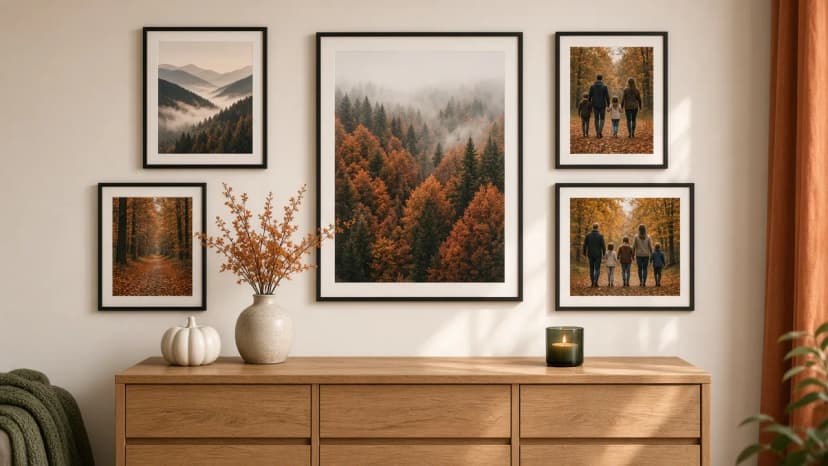
Start with the largest frame. It sets the mood of the whole wall. One large, misty forest in the centre changes how the gallery feels more than three small photos at the edge.
Spread the new photos evenly. Two autumn photographs next to each other in one corner pull the weight to one side. A diagonal, or a symmetrical pair, works better.
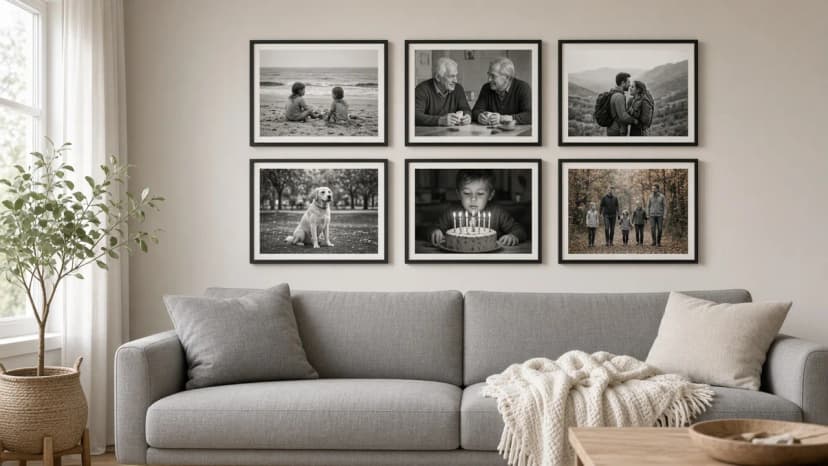
Keep a fixed base. Family photos you like all year stay. Only the seasonal accents change. That is the schedule of “swapping 1–2 photos 4 times a year” from the article on seasonal rotation.
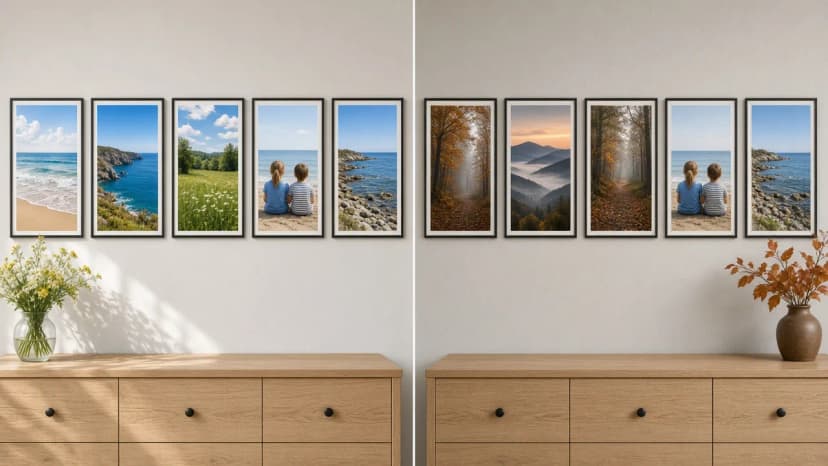
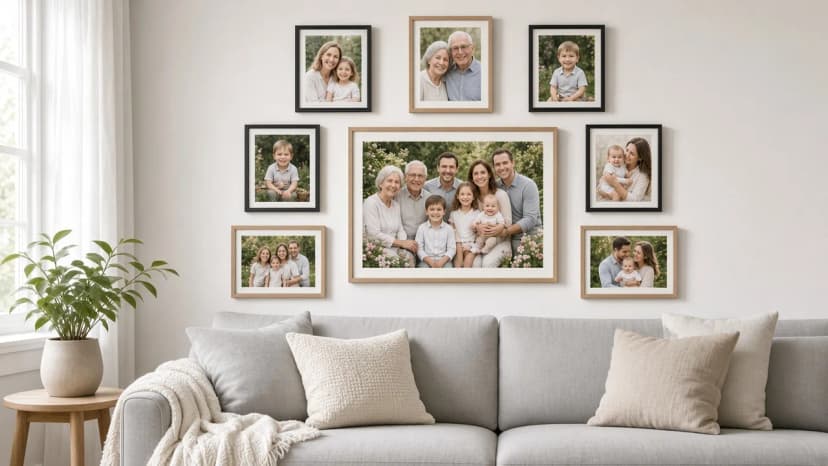
The same frames, three photos swapped: summer on the left, autumn on the right
Categories for autumn and winter: forest, mountains and mist, night sky, winter
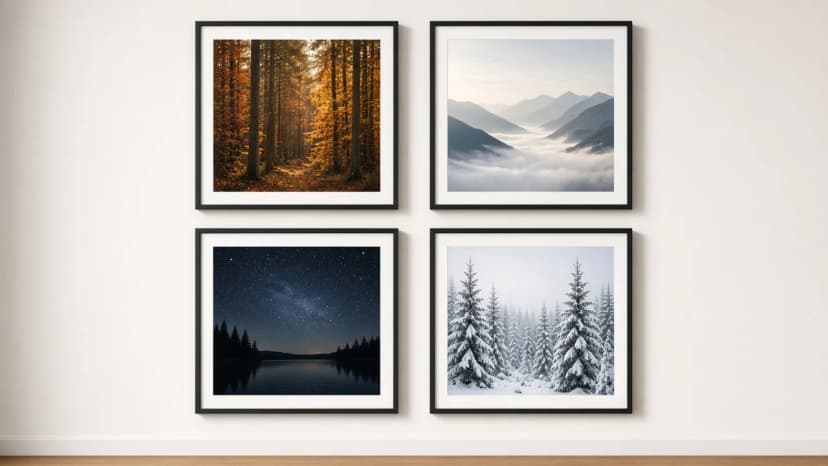
If your phone has no autumn photos that suit a large frame, use photographs by independent photographers. In the Framky Artists catalogue, four categories fit the second half of the year especially well:
Four categories for the second half of the year: forest, mountains and mist, night sky, winter
How to choose an autumn photo for the gallery:
Forest is the safest choice, because it fits oak, plants, and family photos from walks. If you have your own photo from an autumn walk, a forest photograph by an artist will be a natural backdrop for it.
Mountains and mist leave a lot of air in the photo. They take a large format well and calm a gallery that has many small family shots.
Night sky is dark, so it works as one accent. Three night photos next to each other turn the wall into a dark patch.
Winter is the natural successor to autumn. Snow is bright, so the winter version of the gallery looks lighter than the autumn one.
Next to each photo you like, click “Add to my photos”. Collect 4–5 candidates, and only then choose 2–3 for the gallery.
The autumn palette: the colour filter
Autumn tempts you to add everything russet, yellow and brown. On a wall that already has photos in other colours, it is easy to overdo it. So choose the new photographs through the colour filter in the catalogue. Three suit autumn best:
Terracotta. Russet leaves, brick-coloured sunset light. A strong colour, so 1–2 photos are enough.
Forest green. Dark spruces, moss, a forest in mist. It suits photos that have a lot of summer green, so it joins both versions of the gallery.
Warm neutrals. Beiges, mist, dry grasses. They combine most easily with family photos taken by a lamp.
For winter, graphite and black and white work well. A black-and-white winter photo fits almost any gallery.
The rule is the same as when you combine artist photos with your own: lay the current photos out next to each other, name the colour that repeats, and choose autumn photographs in that colour or in a neighbouring one. Avoid a third, unrelated colour. The details are in how to mix artist photos with your own photos, and we write about evening out the colours of your own photos in colour consistency in a gallery.
Rotation: summer family photos ↔ winter photographs
The simplest rhythm for the whole year is two sets of swappable photos for the same frames: spring–summer and autumn–winter. An example for a gallery of 6 frames:
Frame
Spring–summer
Autumn–winter
The largest, in the centre
Sea or a meadow (an artist photograph)
A forest in mist, in December a winter forest
Top row, right
Children on the beach
Mountains and mist
Bottom row, left
A picnic in the garden
An autumn family walk
The other 3 frames
Fixed family photos
No change
How the swap works in practice:
Leave the frame on the wall. The self-adhesive hangers are made for one firm stick, so it is better not to take the frame off.
Open the back panel by turning the metal clips, take out the summer photo and put the autumn one in.
Close the clips. One frame is about 90 seconds (Framky data from internal tests), and swapping 3 photos takes a few minutes.
You can order the autumn photographs as replacement prints cut to the frames you already have. The frames stay on the wall, and only the photos change. What the set includes, and how print swaps work, is described in the guide to frame sets for a gallery wall.
Store the photos you take down flat, in an archival cardboard box, at 15–25 °C and humidity below 60%. Label the box with the season, for example “Summer 2026”. Next year you do not have to order anything. You just take out the ready set.
When to return to the spring version
The autumn gallery does not have to hang until spring in the same form. A simple calendar:
When
What you change
Late September–October
2–3 photos to forest and mountains in mist
November
One autumn photo for the night sky or winter
December
Optionally a festive family photo in place of one autumn photo
March
A return to the spring–summer set
Put the dates in the calendar, for example the first weekend of October and the first weekend of March. Without a date, the swap “will happen sometime”, which usually means never.
In spring you do not have to return to exactly the same wall as the year before. One artist photo can stay for good if it suits both versions. A forest in forest green, or a black-and-white landscape, works well in that role.
An autumn wall in 4 steps
Count the frames and use the table to choose how many photos to swap. Start with the largest frame.
Open Framky Artists, choose the forest or mountains and mist category and one colour from the filter. Next to the photos that fit, click “Add to my photos”.
Order the autumn photos as replacement prints for the frames you already have, or design a new photo gallery wall if you are only just starting.
Swap the photos without taking the frames down, and put the summer ones in a box labelled with the season.
Keywords
autumn wall decorationsphotos for the wall in autumnan autumn gallery on the walla seasonal photo swapforest photographs for the wallwinter photos for the wallframky artistsphoto gallery wall
Framky Club
Claim a special discount on your first order
Sign up and we'll send you a code with a bigger discount than the shop offers — plus occasional inspiration for your photo gallery wall.
How to restore an old photo with AI before printing: photograph the print with a phone, ready instructions for the editor, how much to change, which frame size to choose, and how to arrange a remembrance gallery before 1 November.
Photos from different phones and years do not match on the wall? See how to give them one style in the Framky AI editor: an analogue-film look, golden hour, or watercolour, with ready instructions.
Someone blinked in a group photo? Open their eyes with one instruction in the Framky AI editor, check the result before print, and make that photo the centre of a family gallery in a 50 × 70 cm frame.