Up to 50% | code: GOLDENHOME ⭐0d : 00h : 00m : 00s
Up to 50% | code: GOLDENHOME ⭐ 6d : 10h : 17m : 10s
Article
How to mix artist photos with your own photos in one gallery
•8 minutes reading
How many artist photographs, and how many of your own? Ratios of 2 out of 6 and 3 out of 9, matching by colour and place, black and white as the glue, and ready Layered Moments and Stepped Vista layouts from Framky Artists.
Short answer: The simplest start is one artist photo for every two of your own, so 2 out of 6 or 3 out of 9 frames. Match photographs from Framky Artists with the colour filter to colours that are already in your photos, or choose views from a city you visited together. When your photos have very different colours, take the whole gallery to black and white. Put the artist photos in the largest frames, and the family photos in the smaller ones that tell the story.
Family photos have a story, but they rarely have a composition. We take them on a phone, in a hurry, in different light. Six frames like that side by side can look like a random collection. One or two photographs taken by a professional photographer put the whole wall in order: they give a calm background, a clear colour, and something the eye can rest on.
The ratio: how many artist photos, how many of your own
Artist photos should support yours, not cover them. That is why most family galleries work better with more of your own photos.
Number of frames
Artist photos
Your own photos
When
3
1
2
A narrow wall, a small sofa, an entryway
5
1–2
3–4
A stepped layout with one photo in the centre
6
2
4
A living room, the wall above a three-seat sofa
8
2–3
5–6
A long wall, a dining room
9
3
6
A grid or a large collage
Three rules that help you place the photos in the frames:
The largest frames for the artist photos. A landscape or a piece of architecture handles a large format well, and family photos from a phone often have too few pixels for 55 × 70 cm. How much resolution you need is in how much DPI you need for photo printing.
Symmetry or a diagonal. With two artist photos, hang them next to each other at the top, or on a diagonal. Two landscapes in one corner pull the weight of the gallery to one side.
The reverse ratio works too. In a new home, an office or a guest room you can use 4 artist photos and 2 of your own. Then the family frames are an accent, not the main subject.
Matching by colour: the colour filter in Framky Artists
Colour is the fastest way for photos by different authors to look like a series. In the Framky Artists catalogue you can browse photos by ten colours: warm neutrals, sage green, terracotta, navy, ocean blue, forest green, powder pink, sand, graphite, and black and white.
How to do it in practice:
Lay your own photos next to each other and name the colour that repeats most often. Beach photos are usually sand and ocean blue. Walks in the forest are forest green. Photos at home by a lamp are warm neutrals.
Choose that colour in the filter and add 3–4 candidates to your photos. In the end, keep one or two.
Avoid a third colour. If your photos are warm and green, do not add a navy sea. One foreign colour is enough for the gallery to fall apart.
Even out your own photos. When one family photo is clearly colder than the rest, correct it before print. How to do that is in colour consistency in a gallery.
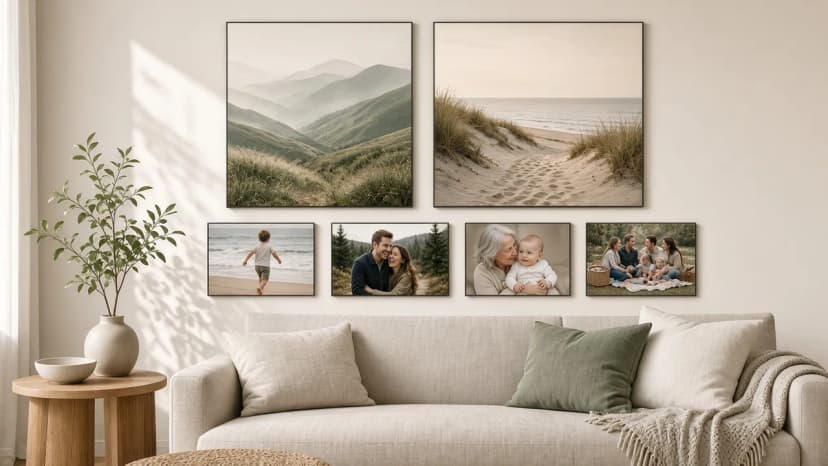
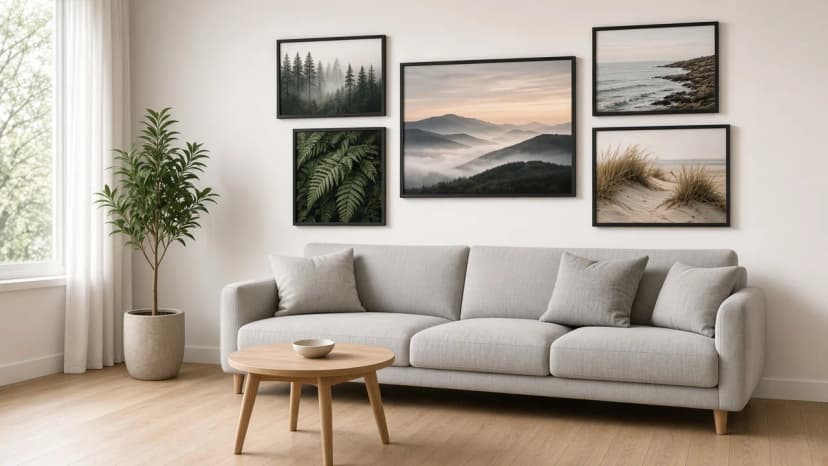
In the opening photo of this article, both landscapes come from the warm-neutral and sage-green palette. The family photos from the beach, the forest and a picnic have the same colours, so six frames read as one whole.
Matching by place: photos from a city you visited
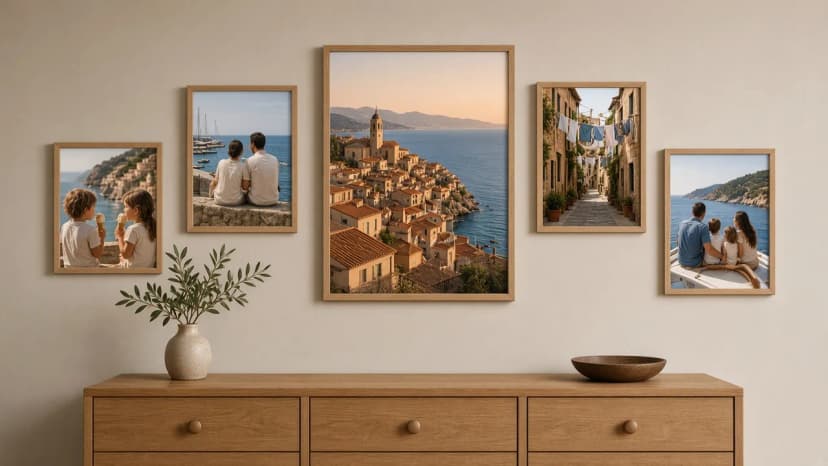
The second way is a subject instead of a colour. In the catalogue you can search for photos taken in a specific city. Locations are shown down to the city. A professional view of a city where you spent a holiday or a honeymoon turns the gallery into a story: the view you remember in the centre, your photos from the same place around it.
The photographer’s view of the town in the centre, family photos from the same trip around it
A few ideas:
A honeymoon. A panorama of the city in the largest frame, photos of the couple around it. More ideas for wedding photos are in a wedding gallery.
The city where you met or lived. A view of a street or of architecture, plus your photos from those years.
A holiday with children. The sea or the mountains from a photographer, and the children on the beach and on the trail next to it.
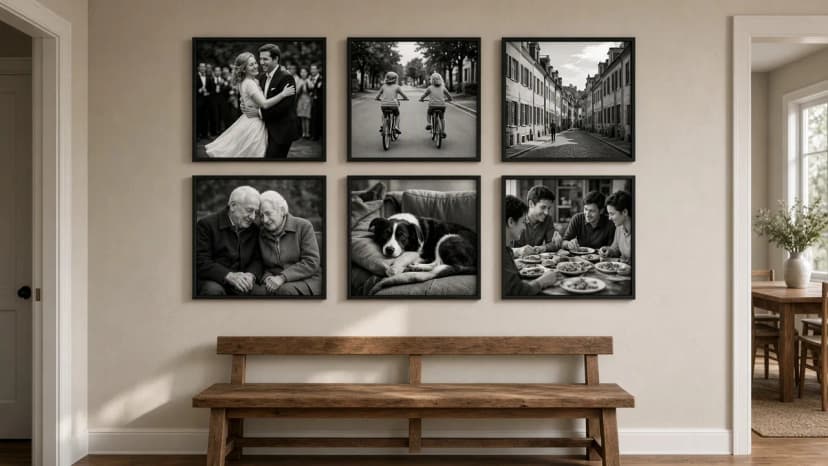
Sometimes your own photos have no colour in common: one from a winter walk, one from a wedding in yellow light, one from a garden in full sun. Then the simplest solution is black and white for the whole gallery. In the catalogue you will find black-and-white photos as a separate colour in the filter.
One black-and-white lane from a photographer and five family photos in the same tone
Two versions that work:
Everything in black and white. The artist photo and all the family frames in one tone. The calmest version, good for an entryway and a bedroom.
The artist in black and white, colour in yours. One or two black-and-white photographs calm colourful family photos. That rule is described in how to mix black-and-white and colour photos.
The easiest start is a set where the sizes and the gaps are already calculated. Two layouts fit mixing artist photos and your own especially well.
Layered Moments M: 6 frames, 173 × 136 cm. Two frames of 55 × 70 cm, two of 35 × 45 cm and two of 35 × 25 cm. The two large frames are a natural place for artist photographs, for example a landscape and a city photo. The four smaller ones hold family photos. That is the ratio of 2 out of 6. Need more space? Layered Moments L has 8 frames and 213 × 136 cm, so two more family photos fit in the two 35 × 35 cm squares.
Stepped Vista M: 5 frames, 181 × 98 cm. A 55 × 70 cm frame stands in the middle, and at the sides are 40 × 50, 30 × 30, 30 × 40 and 50 × 30 cm. The centre is the place for one strong artist photograph, for example a view of the city from your trip. The four smaller frames around it are your photos. The set is under 100 cm tall, so it fits above a sideboard or a sofa even with a low ceiling.
Choose 4–6 of your own photos and name their shared colour or place.
In the Framky Artists catalogue, use the colour filter or search for a city. Next to each photo that fits, click “Add to my photos”.
Choose a layout in the photo gallery wall. Put the artist photos in the largest frames, and your own in the smaller ones.
Place the order. The set arrives ready to hang, with a 1:1 paper template and self-adhesive hangers. The frames are without glass, so there are no reflections. You have 30 days to return it.
Keywords
a gallery wall of family photos and photographsartist photos and family photos on the wallhow to combine photos in a galleryphotographs for a living-room wallframky artistsphoto gallery walla consistent gallery wallblack and white photos for the wall
Framky Club
Claim a special discount on your first order
Sign up and we'll send you a code with a bigger discount than the shop offers — plus occasional inspiration for your photo gallery wall.
Someone blinked in a group photo? Open their eyes with one instruction in the Framky AI editor, check the result before print, and make that photo the centre of a family gallery in a 50 × 70 cm frame.
How to smooth wrinkles and blur the background in a portrait of a grandmother, grandfather or parents so the face stays itself. Ready instructions for the Framky AI editor, three levels of retouch, and a portrait in a frame as a gift.
No good photos for the wall? Photographs by independent artists from Framky Artists for the living room, bedroom, office and entryway: how many frames, which categories, and how to hang a gallery without drilling.