Up to 50% | code: GOLDENHOME ⭐0d : 00h : 00m : 00s
Up to 50% | code: GOLDENHOME ⭐ 6d : 09h : 09m : 32s
Article
A group photo with closed eyes? How to fix it and hang it in a family gallery
•9 minutes reading
Someone blinked in a group photo? Open their eyes with one instruction in the Framky AI editor, check the result before print, and make that photo the centre of a family gallery in a 50 × 70 cm frame.
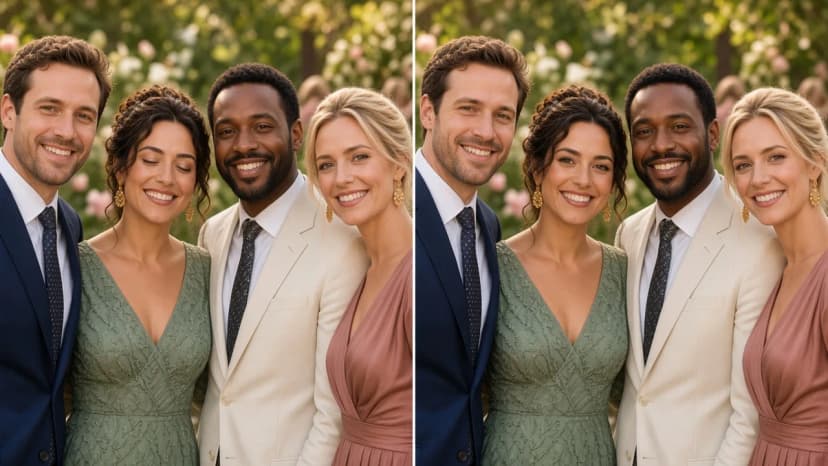
Short answer: When someone has closed eyes in a group photo, open them in the Framky AI editor. Next to the photo in your project, choose “Edit with AI” and type an instruction, for example “Open the eyes of the woman in the green dress, second from the left, her eyes are brown, leave the rest of the photo unchanged”. Compare the preview with the original on a before-and-after slider (the labels are “Original” and “Edited”), create a final version for print, and choose “Use in frame”. That photo works well as a large 50 × 70 cm frame in the centre of a photo gallery wall.
A group photo happens once. Grandma came for a birthday, the whole family stood under a tree, someone set the self-timer. Ten people are smiling, and one person blinked. On a phone you swipe past it. When you want to hang that photo in a large frame, the closed eyes are visible from the other side of the room.
This article shows how to fix that photograph and how to build a photo gallery wall around it. A general description of the editor, the preview, the final version and credits is in the AI photo editor in Framky.
Why someone always blinks
This is not bad luck. It is statistics. A person blinks a dozen times a minute, and one blink lasts about a tenth of a second. With two or three people, the chance of a clean shot is high. With ten or twenty people, someone almost always catches the photo mid-blink.
Typical family situations add to that:
Sun in the face. Outdoors, people squint, especially children and older people.
Flash. Someone closes their eyes by reflex at the flash.
A long count to three. The longer you wait for the photo, the more people blink from the effort.
Children. They look everywhere except the lens.
Photographers advise taking a series of shots and choosing the best one. That works, but only if you remember it at the moment you take the photo. A family archive from years ago has no second chance. This is where the editor helps.
Opening eyes with one instruction
“Open the eyes of the woman in the green dress, second from the left, her eyes are brown”
Upload the photo to the project and, next to the photo, choose “Edit with AI”.
Point to the person. The editor asks: “What should change in the photo?”. In a group photo, describe who you mean: place in the row, colour of clothing, something distinctive.
Give the eye colour. With closed eyes the editor has no way to guess the colour, so add it to the instruction, for example “their eyes are blue”. Ask the family, or check another photo of that person.
Say what should stay. Add “leave the rest of the photo unchanged”. That stops the editor from fixing other faces along the way.
Check the preview. This usually takes about 10 seconds.
Compare it with the original on the before-and-after slider. The labels are “Original” and “Edited”. Look at eye colour, the direction of the gaze, and whether the face still looks like that person.
Create the final version in full quality for print and choose “Use in frame”.
Example instructions:
Situation
Instruction
One person blinked
Open the eyes of the man in the navy jacket on the left, his eyes are blue, leave the rest unchanged
Several people blinked
Open the eyes of the people who blinked: the woman in the green dress has brown eyes, the boy in front has green eyes
A child is squinting in the sun
Open the eyes of the boy in the front row a little wider, his eyes are hazel, keep the smile
Someone is looking to the side
Have the woman in the red dress look at the camera, her eyes are grey
A wedding photo
Open the eyes of the groom, his eyes are brown, leave the bride and the guests unchanged
Two rules that save credits:
One person at a time in large groups. With twenty people, the instruction “open the eyes of everyone who blinked” can miss someone. Fix them one by one, each change based on the previous version. Every version stays on the list, so it is easy to go back a step.
It works best when the face is clear. If someone in the back row has a face the size of a fingernail, the editor has little information. Check that result especially carefully.
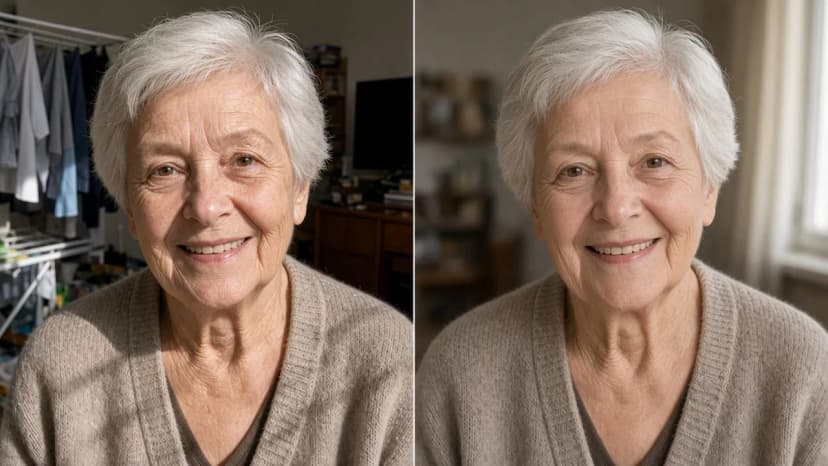
With photos of people close to you, always look at the result critically. Mum’s or grandad’s eyes should look like their eyes, not like the eyes of someone similar.
Other quick fixes for group photos
Closed eyes are the most common problem, but not the only one. Before the photo goes into a frame, look over a few more things:
Stray people in the background. A waiter behind the guests, a passer-by on the path. You remove them with the instruction “Remove the person in the background on the right, leave the family unchanged”. More examples are in how to remove people from a photo background.
Cropping. A group photo usually has too much sky or lawn. In the configurator you choose which part of the photo goes into the frame, and in the editor you can turn on “Show frame proportions” so you see the crop at once.
A crooked horizon. A self-timer photo taken on a low wall is often tilted. Try the instruction “Straighten the photo, the horizon should be level” and compare the result with the original.
Shadow on faces. In hard sun, some people have their face in the shadow of a cap or a tree. The instruction “Gently lighten the faces in shadow” is usually enough. The word “gently” protects against a look of artificial light.
Order matters: eyes and people in the background first, then light, and the crop last. Each fix then works on the full photo.
A group photo as the centre of a family gallery
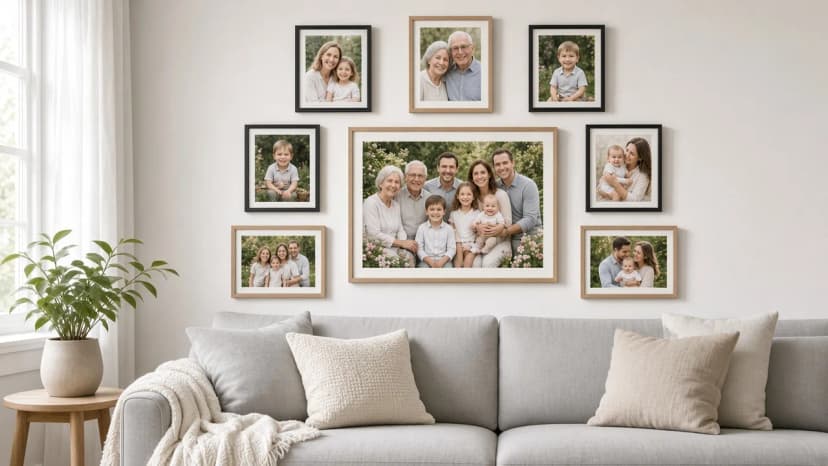
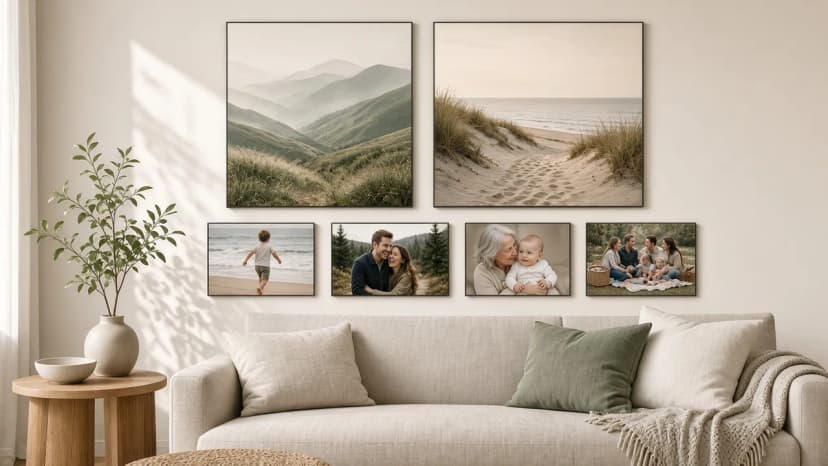
A good group photo is a natural centre for the gallery. Everyone is in one frame, so the other frames can tell the details: children, couples, grandparents.
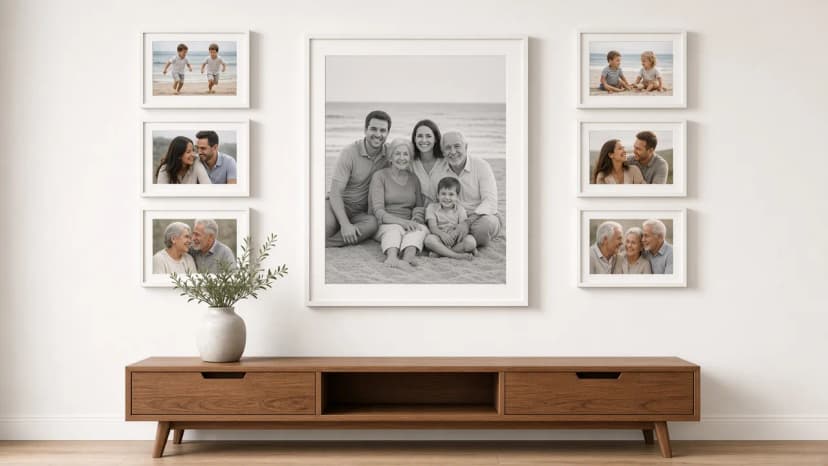
A large group photo in the centre, with couples, children and grandparents at the sides
A few proportions that work:
Wall or furniture
Centre of the gallery
Around it
Sideboard 120–160 cm
1 frame 50 × 70 cm
4–6 frames 20 × 30 cm
Sofa 180–220 cm
1 frame 70 × 55 cm (landscape)
6 frames 30 × 40 cm
A narrow entryway wall
1 frame 55 × 70 cm (portrait)
2 columns of 3 frames 20 × 30 cm
Rules that keep a gallery like this in order:
Match the group-photo format to the number of people. With 10 or more people, choose the largest format, 50 × 70 or 70 × 55 cm. Each face has to be large enough to recognise from a few steps away.
Check the resolution before you edit. For 50 × 70 cm, aim for about 4000 pixels on the longer edge. The editor will not add detail to a file that is too small. More on this is in what size to choose, and how many.
The centre of the gallery at about 145–150 cm from the floor, and above a sofa the lower edge of the frames 15–25 cm above the back.
From a photo with a blink to a gallery on the wall
Choose a layout in the photo gallery wall and upload the photos, with the group photo in the central, largest frame.
Next to the group photo, choose “Edit with AI” and open the eyes of the people who blinked, one after another.
Compare the final version with the original, turn on “Show frame proportions”, and choose “Use in frame”.
Place the order. The set arrives ready to hang, with a 1:1 paper template and self-adhesive hangers, and you have 30 days to return it.
Keywords
closed eyes in a photoopen eyes in a photoclosed eyes in a group photohow to open eyes in a photofix a group photoai photo editorfamily gallery on the wallgroup photo in a framephoto gallery wall
Framky Club
Claim a special discount on your first order
Sign up and we'll send you a code with a bigger discount than the shop offers — plus occasional inspiration for your photo gallery wall.
How to smooth wrinkles and blur the background in a portrait of a grandmother, grandfather or parents so the face stays itself. Ready instructions for the Framky AI editor, three levels of retouch, and a portrait in a frame as a gift.
How many artist photographs, and how many of your own? Ratios of 2 out of 6 and 3 out of 9, matching by colour and place, black and white as the glue, and ready Layered Moments and Stepped Vista layouts from Framky Artists.
No good photos for the wall? Photographs by independent artists from Framky Artists for the living room, bedroom, office and entryway: how many frames, which categories, and how to hang a gallery without drilling.